


Superstore Story 3D
4.6312.00 Reviews
App Specs
- Version
- 1.0.14
- Updated On
- License
- Free
- Downloads
- 1,000,000+
- Developer
- Pusilung
- Categories
- Simulation
- Platform
- Android
Screenshots
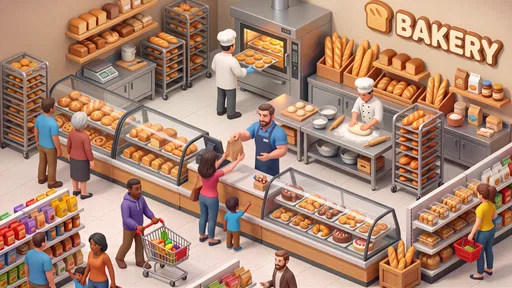
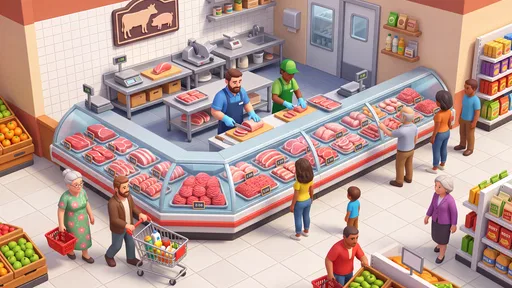
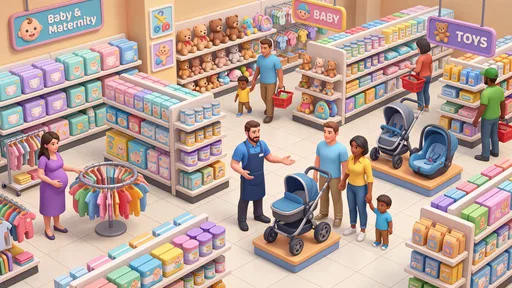
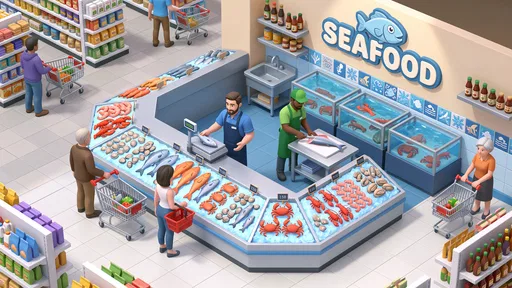
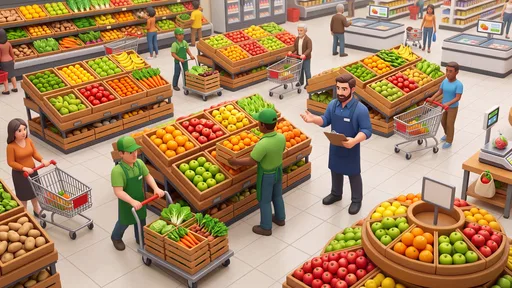
 Analysis by AppCompare
Superstore Story 3D has an appealing hook: it turns running a shop into a light simulation game, where the pleasure is in shaping a business rather than simply passing time. I like the idea, especially for short play sessions, but a management game is only satisfying when its choices feel meaningful. That is the standard I’d use to decide whether this one suits you: are you looking for an easygoing store-themed diversion, or a detailed tycoon sim that rewards careful planning?
A shop-management game for relaxed sessions
Made by Pusilung, this is a free simulation game for Android. Its brief store tagline calls it “Superstore Story 3D,” while the broader pitch centers on managing a superstore. That premise gives it a clearer identity than a generic idle game: the setting suggests a business you can build and oversee, with the familiar satisfaction of seeing a shop become more capable over time.
The game is currently at version 1.0.14 and requires Android 9 or later. Its Everyone age rating makes it broadly accessible, and the Google Play audience has given it an average of 4.6 from around 20,000 ratings. It has passed one million installs, which suggests that the store-management idea has found a sizable audience. Those figures are useful context, but they don’t tell you whether its pace or depth will match your preferences.
My overall take is that this is best approached as a casual management experience, not as a serious business simulator. The appeal is the theme and the prospect of gradual progress; anyone expecting complex supply chains, detailed financial controls, or a demanding strategic challenge should keep their expectations measured. The difference matters because “tycoon” games can range from gentle progression to intricate systems, and the store’s short description alone doesn’t settle where this one falls.
What makes the premise work
A supermarket is a useful setting for a simulation because its goals are easy to understand. Even without knowing every mechanic, most players can picture the basic appeal: make a store work better, keep improving it, and enjoy the visible sense of growth. That makes the concept accessible to people who might find a city builder or a sprawling business sim intimidating.
The strongest case for playing is the everyday rhythm such a theme encourages. A few minutes between tasks can be enough for a quick check-in with a shop-management game, while a longer session can suit someone who wants to settle into a progression loop. I would treat it as a low-pressure way to occupy spare time rather than a game that demands a long, uninterrupted evening.
One practical tip is to decide what you want from the game before spending money or committing to a routine. If you enjoy watching a business develop at a steady pace, give the free version room to show whether its progression feels rewarding. If you’re already impatient with timers, repeated upgrades, or waiting for progress in management games, this theme alone may not change your mind.
Worth Reading Before You Choose

Baby Panda World Brings Quick Play to Modern Phones, but Its Game Library Feels Busy

ESPN’s Live Game View Makes Following Close Games Easier

QuizzLand Review: A Good Fit for Short Trivia Breaks, Not Every Player

Basketball Stars: Multiplayer Is Fast, but Can It Recover When Matches Go Wrong?

WEBTOON Turns Phone Updates Into a Better Reading Routine

Link to Windows Runs on Shared Habits, Not Social Feeds
Where expectations need a reality check
The main limitation is that the public description gives a broad promise rather than a clear picture of the depth behind it. I wouldn’t assume that a supermarket setting automatically means nuanced decisions about stock, staffing, layout, or finances. Those are the kinds of systems that make a tycoon game strategically rich, but they shouldn’t be treated as confirmed features here.
That uncertainty affects who I’d recommend it to. If your favorite part of management games is optimizing a complicated operation, you may find the experience too light unless the actual play offers more decision-making than the brief pitch suggests. By contrast, a player who values an approachable theme and steady casual progress may be perfectly content without deep economic modeling.
There is also a real spending consideration. The game is free to download, but it offers in-app purchases ranging from $1.99 to $29.99 per item. That doesn’t mean you need to buy anything, and I’d begin without spending. Pay attention to whether the free progression feels enjoyable on its own; if you feel pushed to pay simply to keep the experience moving, that’s a good reason to stop rather than treat a purchase as the default solution.
For a fair test, play in a way that reflects how you would actually use it. Try a brief session during a break, then return later and see whether you’re curious about the next step or merely tapping through out of habit. That small experiment is more informative than judging the game by its theme or popularity. A management game should make you want to come back, not turn checking in into a chore.
Who will enjoy managing this superstore
I’d point casual simulation fans toward it first, especially anyone drawn to shop-building themes and bite-sized play. It may also suit younger players and families looking for a broadly rated game, though parents should still make their own call about in-app purchases on a shared device. Since it is rated Everyone, the content is intended for a general audience; that rating is about suitability, not a guarantee that every player will enjoy the pace.
It’s a weaker fit for players who want a highly demanding economic sandbox, intricate logistics, or a realistic retail-management tool. If you prefer games where every decision has a measurable strategic consequence, a more detailed business simulator will probably serve you better. If you dislike free-to-play purchases on principle, you may also prefer a paid game with a clear upfront cost and no item-by-item spending option.
For an ordinary use case, imagine opening the game while waiting for a friend or winding down after work. You want something with a recognizable goal, but not a complicated campaign you must remember in detail. A superstore-management setting is naturally suited to that gap in the day. The useful question is whether its next steps feel satisfying enough to bring you back; the game’s premise can set up that routine, but your tolerance for its pace will decide whether it lasts.
How it compares with other simulation games
Compared with city-building simulations, a supermarket-focused game promises a tighter setting and a more immediate business fantasy. You aren’t approaching the concept as a whole city to shape; the store itself is the central idea. That narrower scope can make a game easier to pick up, though it may also feel less expansive than managing a city or a broad economic network.
Against idle games, the shop theme gives it a more concrete identity than an abstract stream of upgrades. Still, I wouldn’t assume it offers deeper control simply because it calls itself a management game. If your priority is relaxing progression, that distinction may not matter. If you want to plan, compare options, and optimize systems, check whether the actual decisions satisfy you before investing much time.
A useful way to assess it is to ask whether you’re playing for the theme or the strategy. If the satisfaction comes from the idea of building up a superstore, this game is aimed at that kind of casual interest. If it comes from mastering complex rules, look for a simulation whose mechanics are explicitly built around that challenge. Neither preference is better; they simply point toward different games.
Making the most of a first session
I’d use the first session to learn the game’s own rhythm rather than trying to race through it. Notice what the game asks you to do repeatedly and whether each visit gives you a choice you care about. The important distinction is between a routine that feels pleasantly simple and one that feels like busywork. A familiar shop setting can make the first few steps intuitive, but the long-term appeal depends on whether the loop keeps offering a reason to return.
A small, useful habit is to stop at a natural point instead of extending a session just because progress seems close. When you come back later, you’ll get a clearer read on whether you genuinely want to continue. This also helps you judge any waiting or upgrade pacing on your own terms; a game that works as a quick check-in should fit around your day, not make you feel obliged to monitor it.
It is also worth separating curiosity about the theme from satisfaction with the decisions. Ask yourself what you would change if you had another minute in the store, and whether the game gives you a meaningful way to act on that thought. If you can name a goal you’re looking forward to, that is a stronger signal than simply enjoying the supermarket idea. If you can’t, there is no need to keep playing just because the game has already had your attention.
Practical fit, purchases, and expectations
Because the game is free to start, it is easy to sample without making a commitment. I’d treat purchases as optional rather than as part of the basic recommendation: first decide whether you enjoy the experience at its ordinary pace, then consider whether spending would add something you actually want. The available item prices run from $1.99 to $29.99, so it makes sense to be deliberate, particularly if a child can access the device or its payment settings.
For parents, the Everyone rating offers a broad age-suitability signal, while the purchase options are a separate practical issue. I’d check the device’s purchase controls before handing it over, and make the expectation clear: free to download does not mean every optional item is free. That simple distinction prevents a pleasant casual game from turning into an awkward surprise.
For players deciding whether it will work on an older device, the stated Android requirement is version 9 or later. That gives a straightforward compatibility check before downloading. It doesn’t answer whether you’ll enjoy the game, of course, but it can save time if your phone runs an earlier version of the operating system.
One question people often have about a casual management game is whether they need to play for long stretches. I’d approach this one as something to test in short visits first, since that is the natural use case for the premise. If it proves more enjoyable when you have time to focus, you can always stay longer. The point is not to force a schedule; it is to see whether the game’s own pace fits the moments you have available.
My verdict
Superstore Story 3D is worth a try if you want a free, approachable supermarket-themed simulation and are happy to judge it on its own pace rather than on grand tycoon expectations. Its broad audience and strong average rating make it an easy candidate to sample, but they aren’t a substitute for deciding whether the progression feels engaging to you.
I’d start without an in-app purchase, use a couple of short sessions to see whether the store-management loop holds your attention, and be honest about what you want from a simulation. For relaxed, theme-led play, it could be a pleasant fit. For deep planning, demanding strategy, or a no-purchase experience, I’d look elsewhere. That’s the clearest recommendation I can give: try it for the superstore premise, but stay only if the management itself keeps you interested.
Pros
- Bright 3D visuals make the store easy to navigate.
- Simple controls are approachable for casual players.
- Expanding the shop gives a clear sense of progression.
- Short play sessions suit quick breaks.
- A variety of products adds visual interest to the store.
Cons
- Progress may feel slow without frequent play.
- Repeated stocking and upgrading can become routine.
- Later expansion tasks may require considerable patience.
- Small interface elements can be harder to tap on phones.
- Ads or in-app purchases may interrupt the experience.
FAQs for Superstore Story 3D
What is Superstore Story 3D about?
Superstore Story 3D is a casual store-management game built around running and expanding a supermarket. Players generally work through tasks such as serving customers, keeping products available, and improving different parts of the shop. Its straightforward goals make it easy to pick up, while the gradual upgrades provide a reason to keep playing. The exact activities and features can vary by version, so check the current store listing for details.
Is Superstore Story 3D free to download and play?
The game may be available as a free download, but that does not necessarily mean every feature or progression option is free. Like many mobile games, it may include advertising, optional in-app purchases, or ways to speed up progress through paid items. Before downloading, review the listing on Google Play or the App Store, including its purchase information, and check whether your device settings allow purchases you do not intend to make.
Can I play Superstore Story 3D offline?
Whether Superstore Story 3D works without an internet connection can depend on the game version and which features you want to use. Basic gameplay may be accessible offline in some releases, while advertisements, rewards, account services, or updates may require a connection. If offline play matters to you, test the game after installation with your connection disabled and consult the latest store listing, since offline support can change.
Is Superstore Story 3D suitable for children?
The simple store-management premise and accessible controls may appeal to younger players, but suitability depends on the child and the content in the version available in your region. Check the age rating and content descriptors on the relevant app store before installing. Also review whether the game contains ads or in-app purchases, and consider using parental controls to manage screen time, advertising exposure, and spending.
Which devices support Superstore Story 3D, and how can I install it safely?
Superstore Story 3D may be offered for Android or iOS, but compatibility depends on the specific device, operating-system version, and current regional availability. Check the official Google Play or Apple App Store page for minimum requirements and supported devices before downloading. Installing through the official store is the safer option because it helps you avoid unofficial files and gives you access to the publisher’s current version and update information.


